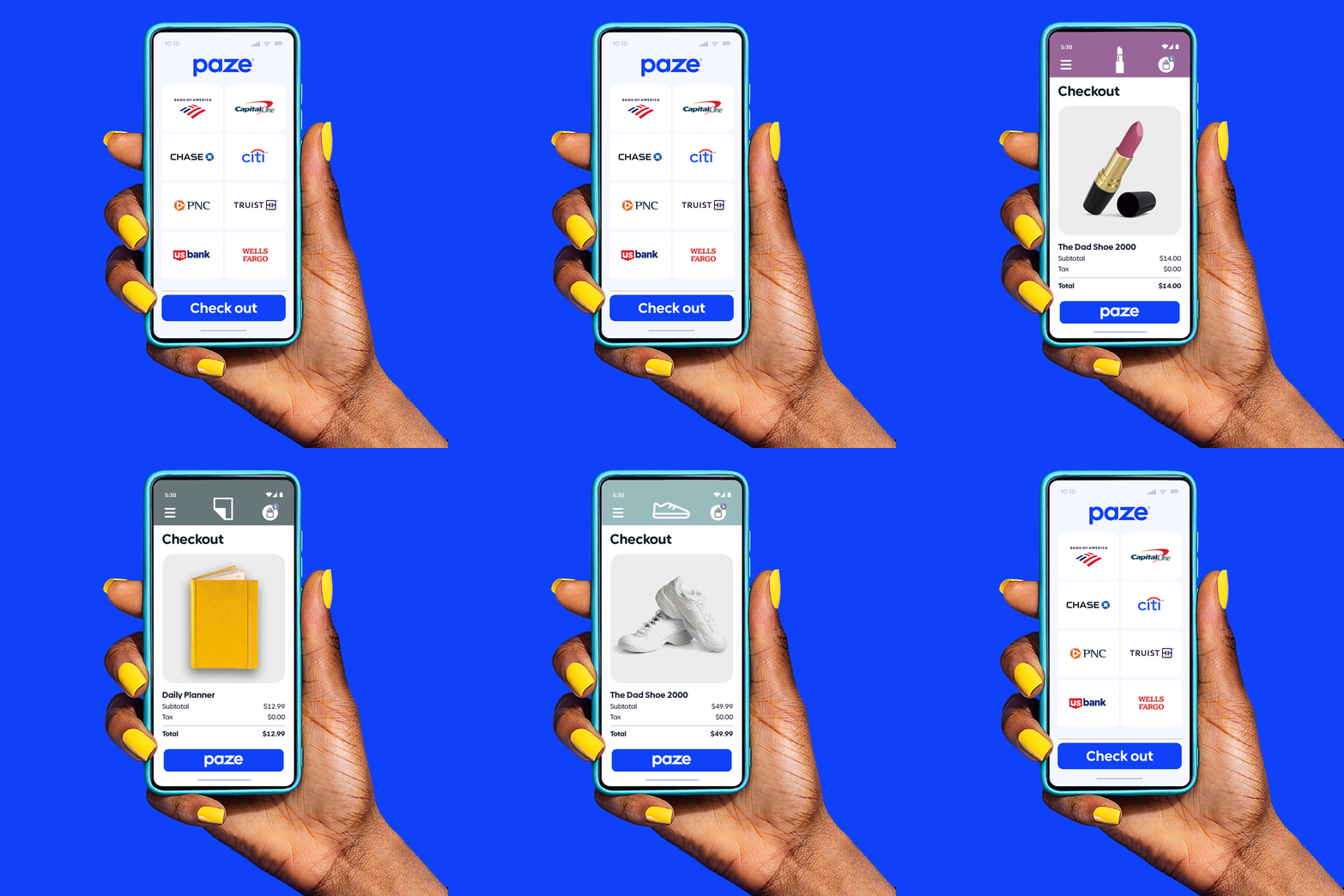
GoDaddy and Paze partner to help simplify online checkouts


TEMPE, Ariz., Oct 10, 2023 - On a quest to eliminate abandoned online shopping carts, GoDaddy (NYSE: GDDY), the company that helps entrepreneurs thrive, and PazeSM, an online payment solution developed by Early Warning Services, LLC, are partnering to help small businesses provide more convenient online checkout experiences for consumers. GoDaddy is the first website builder to integrate Paze into small business’ customer checkout experience.

More than half of Americans say they would stop shopping with a merchant that doesn’t accept payments from digital wallets. Small businesses with a GoDaddy Online Store using GoDaddy Payments will be able to accept Paze transactions, which includes over 150 million eligible credit and debit cards within Paze.

At checkout, consumers using Paze can skip manual card entry and pay in seconds without creating new usernames or passwords. Backed by financial institutions consumers trust, the Paze streamlined process is designed to simplify checkout, reduce abandoned shopping carts and help position small businesses for growth. Plus, businesses using GoDaddy Payments save over 20% on card processing compared to other leading providers and keep more of what they make.

“Abandoned carts are difficult to convert after the fact, so it’s vital to get the checkout process right,” said Head of Payments Products at GoDaddy, Saurabh Mangal. “GoDaddy Payments’ partnership with Paze will aid small businesses in streamlining their customers’ checkout experience and help close more sales.”

Paze is available in pilot to select U.S.-based businesses on GoDaddy’s platform, with the full launch coming soon. Entrepreneurs can visit the Paze blog to learn more, or godaddy.com/websites/online-store to set up a GoDaddy Online Store with GoDaddy Payments, which will automatically accept Paze transactions once the rollout is complete.
 

About GoDaddy

GoDaddy helps millions of entrepreneurs globally start, grow, and scale their businesses. People come to GoDaddy to name their idea, build a professional website, attract customers, sell their products and services, and accept payments online and in-person. GoDaddy's easy-to-use tools help microbusiness owners manage everything in one place and its expert guides are available to provide assistance 24/7. To learn more about the company, visit www.GoDaddy.com.
 

About Paze

Paze is a reimagined online payment solution that banks and credit unions offer to consumers and merchants, combining all eligible debit and credit cards into a single wallet and eliminating manual card entry. Solving long-standing challenges in e-commerce, Paze provides an easy experience consumers and merchants can trust. At general availability, more than 150 million debit and credit cards will be available to consumers for making online purchases. To learn more about Paze, visit www.paze.com. Paze is operated by Early Warning Services, LLC, an innovator in payment and risk management solutions.


Optimizing the e-commerce payment experience

October 4, 2023

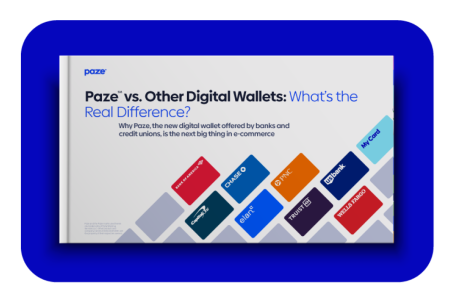
Merchants and consumers want an easy and secure online payment experience at checkout. If the process is difficult, merchants risk losing the sale. Trust is essential. Digital Commerce 360 conducted a survey, “Optimizing the E-commerce Payment Experience,” where merchants said their customers abandon carts when they are asked to enter their credit card information at checkout.   

Download our report to explore:  

  • How merchants can reduce friction and eliminate steps during the checkout process.  
  • Research that indicates financial-institution-offered digital wallets provide security without adding more transaction fees for merchants.  
  • Why merchants benefit by providing customers with the payment options they want at checkout.  
  • Why consumers trust their banks more than other providers to offer a digital wallet.

Meet Paze®

Checkout offered by banks and credit unions

Image

Learn how to use Paze

(in about a minute)

Image

Activating Paze is as easy as 1-2-shop!

1...

Open your bank or credit union mobile app and locate the digital wallet section.

2...

Select Paze and complete the activation prompts.

Shop!

Shop participating merchant sites and look for Paze at checkout.

Where it works

Available at select merchants, look for the Paze logo at check out

Ready to shop?

Check back often for exclusive shopping offers, discounts and new merchants.

Get Started

Visit your participating bank or credit union to learn more and start using Paze.

Questions?
We have answers


Paze is an online checkout solution offered by banks and credit unions that provides added security because your actual card number is not shared with merchants. Your Paze wallet is pre-loaded with your eligible U.S. credit and debit cards, so you don’t need to type in your full card number at checkout.

Paze, offered by banks and credit unions you already use, provides added security when you check out online because your full card number is not shared with merchants, plus it’s fast and convenient.
 

  • Access Paze through your mobile banking app.
  • Your Paze wallet is pre-loaded with your eligible U.S. credit and debit cards.

You don’t need to sign up—just activate Paze from mywallet.paze.com or your bank or credit union’s mobile app or website. Then, look for the Paze logo when you check out at a participating merchant. Or, enter the email address or phone number you use with your bank or credit union when shopping online.

Paze uses the same email address and mobile number associated with your participating bank or credit union account. Be sure to enter this email or phone number if prompted at a participating merchant’s checkout.
 

If you need to update your email or phone number, you can do this on your bank or credit union's mobile app or website.

Only eligible U.S. credit and debit cards from participating banks and credit unions can be used with Paze. If you do not see one of your cards in your Paze wallet, the card may not be eligible for Paze or may not currently be available through your financial institution.
 

If you do not see a card that you believe should be eligible for Paze, please contact your bank or credit union directly for specific eligibility card guidelines.
 

To view your eligible cards, visit mywallet.paze.com or your bank or credit union’s mobile app or website.

If you are checking out at a participating online merchant and you don’t see Paze as a payment option, try the following:

  • Sign in to your merchant account. Some merchants may require you to sign in before Paze is displayed as a payment option
  • Try a different checkout experience. Paze may be available on a merchant’s website, mobile app, or both, depending on the merchant
  • Update the merchant’s mobile app. If checking out through a merchant’s app, updating to the latest version may help ensure Paze is displayed as a payment option

Paze is offered by your participating bank or credit union. For support, please call your bank or credit union directly via the number printed on the back of your card.

FOR BUSINESS

The first-of-its-kind digital wallet offered by banks and credit unions.

Paze checkout is brought to you by the company behind the Zelle® network.
 

Zelle, the Zelle related marks, and the color purple are registered trademarks or otherwise claimed by Early Warning Services, LLC. Other product and company names mentioned herein are the property of their respective owners.
 

Have questions? Connect with our sales team or get a demo.

Follow us on social media

Questions? We have answers.

Common Questions

Paze is an online checkout solution offered by banks and credit unions that provides added security because your actual card number is not shared with merchants. Your Paze wallet is pre-loaded with your eligible U.S. credit and debit cards, so you don’t need to type in your full card number at checkout.

Paze, offered by banks and credit unions you already use, provides added security when you check out online because your full card number is not shared with merchants, plus it’s fast and convenient.
 

  • Access Paze through your mobile banking app.
  • Your Paze wallet is pre-loaded with your eligible U.S. credit and debit cards.

You don’t need to sign up—just activate Paze from mywallet.paze.com or your bank or credit union’s mobile app or website. Then, look for the Paze logo when you check out at a participating merchant. Or, enter the email address or phone number you use with your bank or credit union when shopping online.

Paze uses the same email address and mobile number associated with your participating bank or credit union account. Be sure to enter this email or phone number if prompted at a participating merchant’s checkout.
 

If you need to update your email or phone number, you can do this on your bank or credit union's mobile app or website.

Only eligible U.S. credit and debit cards from participating banks and credit unions can be used with Paze. If you do not see one of your cards in your Paze wallet, the card may not be eligible for Paze or may not currently be available through your financial institution.
 

If you do not see a card that you believe should be eligible for Paze, please contact your bank or credit union directly for specific eligibility card guidelines.
 

To view your eligible cards, visit mywallet.paze.com or your bank or credit union’s mobile app or website.

If you are checking out at a participating online merchant and you don’t see Paze as a payment option, try the following:
 

  • Sign in to your merchant account. Some merchants may require you to sign in before Paze is displayed as a payment option
  • Try a different checkout experience. Paze may be available on a merchant’s website, mobile app, or both, depending on the merchant
  • Update the merchant’s mobile app. If checking out through a merchant’s app, updating to the latest version may help ensure Paze is displayed as a payment option

Paze is offered by your participating bank or credit union. For support, please call your bank or credit union directly via the number printed on the back of your card.

You may opt out of Paze at paze.com/optout after your participating bank or credit union has added your eligible card(s) to the service. You will be informed when your bank or credit union has added your card(s). If you have any questions on opting out, please contact your bank or credit union directly.

You can check out with Paze at any participating online merchant. Click here to view the list of merchants that offer Paze at checkout.

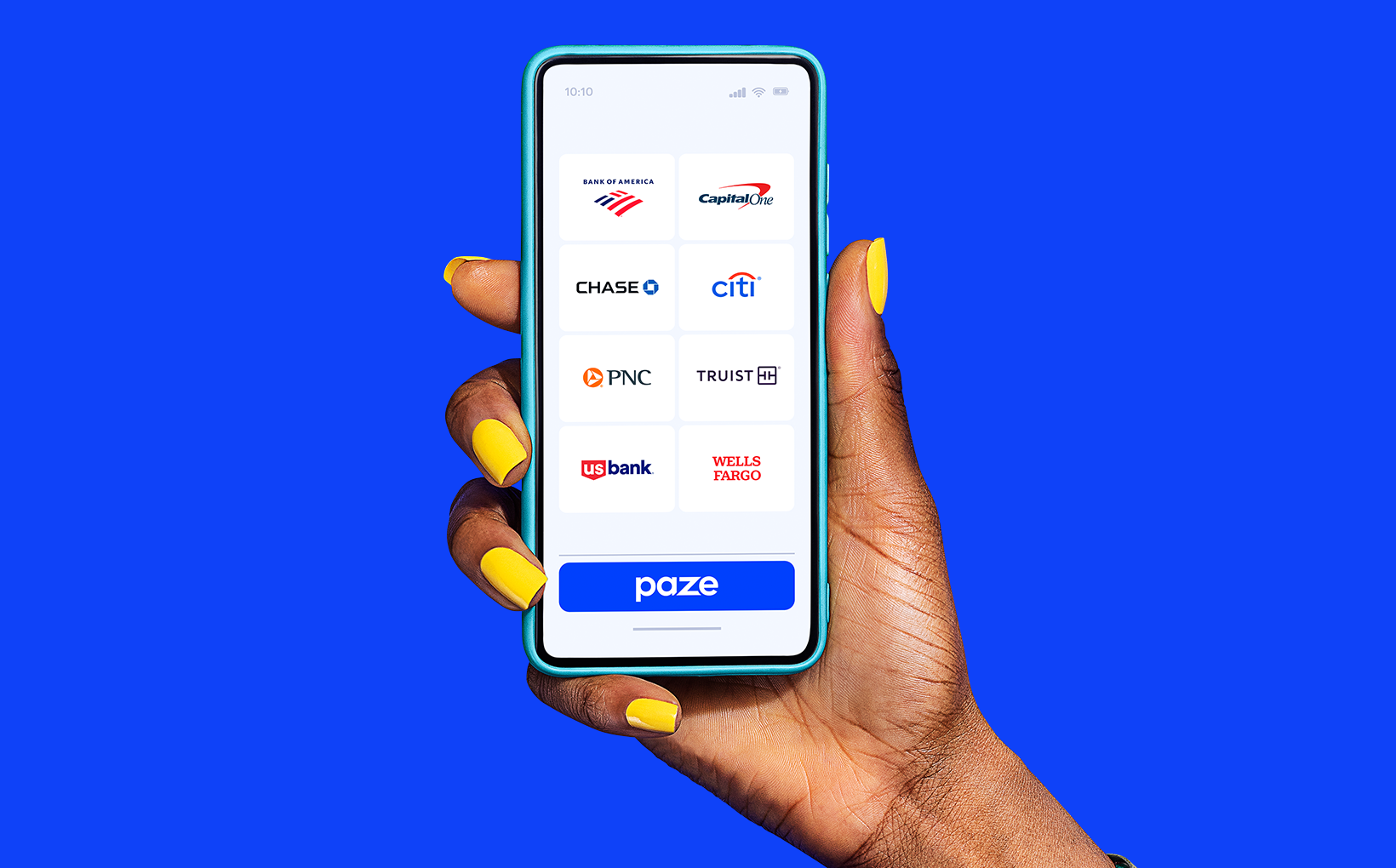
Paze online checkout is offered by participating banks and credit unions, including Bank of America, Capital One, Chase, Citi, Elan, PNC, Star One, Truist, U.S. Bank and Wells Fargo.

No, there are no additional costs or fees to use Paze.


Checkout Experience

Your browser may be blocking pop-ups, which may prevent Paze from launching. Check your browser's security settings and ensure that pop-ups are allowed.

Manage the cards in your Paze wallet from your participating bank or credit union’s mobile app or website, or visit mywallet.paze.com.

Yes, you should continue to earn rewards on eligible purchases you make using Paze. Please refer to your card’s rewards program terms and conditions or call the number on the back of your card with any questions.

Yes, you can use Paze at any participating online merchant where you would use your credit or debit card.

Wallet Management

Paze supports eligible U.S. credit and debit cards provided by participating banks and credit unions. Paze is available for consumer credit and debit cards held by adults age 18+ with a valid SSN or TIN.
 

If you have additional eligible cards from a participating bank or credit union, you may be able to add them through your bank or credit union’s mobile app or website.
 

Not all financial institutions offer Paze at this time, and some cards may not be eligible. Please contact your bank or credit union for specific card eligibility guidelines.

You can remove cards from Paze through your bank or credit union’s mobile app or website, or at mywallet.paze.com.
Yes, you can choose your default card when checking out. Open the dropdown next to the card, select a card, then check the 'Set default' box. A card can also be set as default at mywallet.paze.com.
 

Your default card will always be displayed at the top of Paze. If you don't set a default card, the last card you used with Paze will automatically be displayed at the top.

During checkout or in mywallet.paze.com, you can select from addresses already in your address book, add a new address, edit an existing address, delete an address, or set one as a default.

No, Paze does not currently allow the linking of bank checking or savings accounts.

Manage your information through your bank or credit union’s mobile app or website, or at mywallet.paze.com.

Sign in & Security

Yes, Paze offers added security because your actual card numbers are not shared with merchants.

If Paze doesn't recognize the device you're using, you'll need to verify your cards. Paze uses cookies to help prevent fraudulent activity and improve security. For your safety, required data and security checks cannot be disabled. Separately, the privacy settings on your device or a recent browser/app cache may result in additional authentication steps.

Your wallet may be locked due to too many attempts to sign in with incorrect credentials. Please contact your participating bank or credit union with additional questions by calling the number on the back of your card.

Contact your bank or credit union immediately if you detect any unrecognized or unauthorized transactions on any of the cards in your Paze wallet.

Paze has no access to your bank or credit union account activity. Please contact your bank or credit union to dispute a transaction by calling the number on the back of your card.

As part of the authentication process, Paze may send a unique 6-digit one-time passcode (OTP) via text message to verify your identity when needed during checkout.


For your security, never share this code with anyone. Paze will never call, text or email you requesting this code.

Privacy & Data Rights

You can find the Paze Service Privacy Notice at https://www.paze.com/service-privacy-notice.

You can find the Paze Service Agreement at https://www.paze.com/service-agreement.

Paze uses cookies and similar tracking technologies to recognize your device and provide a streamlined authentication experience. You can learn more by visiting https://www.paze.com/service-privacy-notice.


You can clear your browsing data and cookies in your browser’s settings to stop Paze from recognizing your device. This may result in additional required authentication steps.

Paze retains information for as long as it is reasonably necessary and relevant for our business operations, and to comply with applicable law. Paze has no access to your bank or credit union account activity. See Section 3 of the Paze Service Privacy Notice for more information.

One-time passcodes that are sent via SMS and other multi-factor authentication tools serve as an additional level of security and are essential to using Paze. Replying STOP to text messages will disable the Paze service. To opt out of the Paze service, visit paze.com/optout.

Passkeys

A passkey is a digital credential that allows you to sign in and authenticate your Paze wallet without having to enter an SMS one-time passcode. With a passkey, you'll be prompted to sign in using your device's authentication methods such as your face, fingerprint, PIN or the password for your device.


Once created, passkeys are synced with your password manager (for example, iCloud Keychain or Google Password Manager) or security key (for example, YubiKey).

Once you have registered a passkey with your Paze wallet, you will be able to use your passkey to authenticate during checkout or on mywallet.paze.com. During sign in, your device authenticator will prompt you to use biometrics (face, fingerprint), PIN or the password that you use for the device.

You will be able to register a passkey for Paze on an eligible device. Paze supports passkeys in the following operating systems:
 

  • iOS 17+
  • Android 14+
  • Windows 10+
  • macOS 13+

Paze supports passkeys in the following browsers:
 

  • Google Chrome 108+
  • Apple Safari 16+
  • Microsoft Edge 108+
  • Mozilla Firefox 122+
  • Samsung Internet

If your device, browser, or password manager is not supported, you can use an SMS one-time passcode to sign in to Paze.

You will have the option to create a passkey during sign in at checkout and on mywallet.paze.com. You can also register a passkey through the 'Profile' tab at mywallet.paze.com by clicking 'Manage passkeys'. The 'Create Passkey' button will appear if your device is eligible to register a passkey.

You can delete a passkey at mywallet.paze.com. Navigate to the 'Profile' tab and click 'Manage passkeys' to delete an individual passkey or all passkeys from your Paze wallet. You may also be able to delete a passkey from your device's password manager.

For your protection, if your device is compromised, lost, or stolen, you should delete passkeys associated with that device. You can delete an individual passkey or all passkeys from your Paze wallet at mywallet.paze.com by navigating to the 'Profile' tab and clicking 'Manage passkeys'. You will still be able to access Paze through an SMS one-time passcode.

Passkeys can be shared across multiple devices, depending on device eligibility and configuration. If your device is associated with a registered passkey, you will be able to use the passkey to sign in to Paze. If your device is eligible and does not have a passkey registered, you will have the option to configure a new passkey.

If Paze is unable to verify your passkey, you will receive an error message and will be prompted to use an SMS one-time passcode to log in.

No, Paze does not share passkey data with your bank or credit union or merchants. Passkeys can only be used to log in to Paze.

No, your passkey registered with Paze can only be used to log in to Paze.

You will receive an email from Paze when a passkey is registered to or deleted from your Paze wallet. You can always manage your passkeys at mywallet.paze.com.

No, your device does not share biometric data with Paze when creating or using a passkey.

*Some merchants may require account setup to make purchases.

Subscribe to